How Native Video in Your CRM Transforms Communities & Client Portals
If you run an agency, coaching program, local service business, or modern consultancy, your daily routine probably looks something like this: you book a call on one app, generate a meeting link on a second app, store your client notes in a third platform, and host your group coaching or community lives on a fourth.
This multi-tool approach isn’t just expensive—it creates friction for your team and confuses your clients. Toggling between disparate SaaS tools wastes time, causes dropped calls, and leaves valuable customer data scattered across disconnected platforms.
The solution isn't adding another point tool; it’s consolidation. By bringing native video conferencing directly into your Growth Hub CRM, you can unify communication, community engagement, and client management under one roof.
Here is how native video capabilities—from Team Permanent Links to Community Live Rooms and integrated Client Portals—can eliminate tech fatigue and fuel business growth.
1. Eliminate Link Chaos with Team Permanent Links & One-Click Video
Few things disrupt a meeting faster than frantically searching for a meeting link two minutes after a call was supposed to start. Standard video meeting apps often require creating fresh links for every single calendar event, leading to lost invitations, missed appointments, and frustrated clients.
Team Permanent Links solve this problem by giving every team member or department a dedicated, fixed URL.
Always-On Personal Rooms: Use a static URL for internal team huddles, quick 1-on-1 check-ins, or recurring client strategy sessions.
Streamlined Calendar Scheduling: Embed permanent meeting links into your automated scheduling booking widgets. When a client books a slot, the room link remains consistent and easily identifiable.
Instant Collaboration: Need to pull a team member into a client discussion? Share a single permanent room link without waiting for a new room code to generate.
By standardizing your video touchpoints, you eliminate room generation errors and ensure every call starts smoothly.
2. Drive Engagement with Community Live Rooms and "Go Live" Streams
Building an engaged online community requires interactive touchpoints. However, redirecting community members to an external video platform interrupts their experience and reduces attendance.
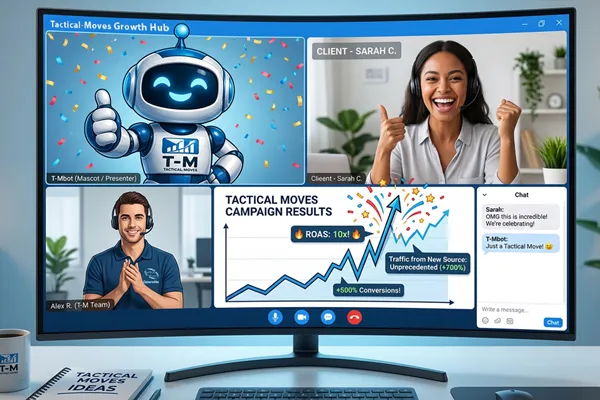
Native Community Live Rooms allow you to host interactive group meetings and broadcasts directly inside your brand's community channels and event calendars.
Interactive Meetings vs. Broadcast Streams
Whether you are leading an intimate masterclass or broadcasting a company-wide announcement, native video gives you flexible room modes:
Interactive Live Rooms: Perfect for roundtables, group coaching, and Q&A sessions. Participants can raise hands, turn on cameras, share screens, switch between gallery and speaker views, and engage via live chat.
Broadcast Streams: Ideal for webinars or keynotes where you want to control presentation flow while taking questions through monitored chat channels.
Automated Recordings & Community Replays
Hosting the call is only half the battle; delivering the replay promptly is what keeps members engaged. When you host a session inside your Growth Hub community, recordings can automatically upload to specified group modules or course libraries. Members who missed the live event can catch up immediately without your team needing to manually download, edit, and re-upload large video files.
3. The True Strategic Advantage: CRM & Workflow Integration
The real power of native video isn't just seeing and hearing your clients—it's connecting those interactions to your underlying CRM database and automation engine.
When video conferencing is baked directly into your CRM, every meeting becomes a trackable, actionable data point.
[ Client Books Call ] ──> [ CRM Automations Trigger SMS/Email Reminders ] │ ▼
[ Attendance Tracked ] ──> [ Native Video Call in Client Portal ] │ ▼
[ Post-Call Actions ] ──> [ Automatic Replay Delivery & Pipeline Status Update ]
Automated Pre- and Post-Call Sequences
Because the video tool shares data directly with your CRM, you can build automated workflows tied to attendance and meeting events:
No-Show Prevention: Send automated SMS and email reminders containing the meeting link at 24-hour, 1-hour, and 10-minute intervals.
Attendance Triggers: Automatically tag contacts based on whether they attended, missed, or left early, triggering targeted follow-up campaigns.
Post-Call Fulfillment: Trigger automated post-call emails containing session summaries, resource links, and next-step action items immediately after the meeting ends.
4. Unify the Experience Inside Your Client Portal
Branding matters. Sending clients away to generic third-party meeting sites breaks the professional illusion you’ve worked hard to build.
By hosting video calls inside your custom-domain Client Portal, clients access everything through a single, white-labeled dashboard.
From a single login screen on your domain, your clients can:
Join scheduled 1-on-1 video consultations.
Jump into community group huddles or live webinars.
Review past call recordings and meeting notes.
Access paid course materials, track project milestones, and manage account details.
Providing a single destination for all client interactions elevates your brand authority and simplifies onboarding for non-technical clients.
5. Industry Use Cases: Who Benefits Most?
Consolidating video, CRM, and community tools benefits any high-touch business, but several industries experience immediate ROI:
Executive & Business Coaching Agencies
The Challenge: Managing multiple Zoom links, tracking client attendance across spreadsheets, and hosting course materials on separate platforms.
The Growth Hub Solution: Host group coaching calls inside Community Live Rooms, store session replays automatically in client membership portals, and use CRM pipelines to track individual client progress.
Home Services & Specialty Contractors
The Challenge: Spending hours driving across town just to perform basic initial site inspections or preliminary sales estimates.
The Growth Hub Solution: Offer virtual sales consultations using Team Permanent Links. Staff can perform initial video walk-throughs with homeowners, take notes directly in the client's CRM file, and issue estimates before ever dispatching a truck.
Health, Wellness & Aesthetic Clinics
The Challenge: Patient no-shows for follow-up appointments and time-consuming pre-procedure Q&A calls.
The Growth Hub Solution: Conduct virtual pre-treatment consultations inside a secure Client Portal. Automated CRM reminders ensure high show-up rates, while post-care video recordings can be reviewed by the patient at home.
E-Learning & Course Creators
The Challenge: High member churn caused by fragmented platforms (e.g., hosting courses on one site, community discussions on another, and live Q&As on a third).
The Growth Hub Solution: Consolidate membership content, discussion feeds, and live Q&A calls under one custom domain, creating a seamless experience that boosts member retention.
Stop Paying the "Tech Tax" and Unify Your Stack
Managing separate subscriptions for video hosting, community platforms, scheduling software, and CRM databases inflates your monthly software costs and fragments your operational workflows.
Bringing video conferencing directly into your Growth Hub CRM allows you to build stronger client relationships, automate repetitive administration, and deliver a polished brand experience from the very first call.